Posts

Showing posts with the label windows phone

Why this new Microsoft is impressive

Image
The last Microsoft event on October 6 showed a few surprises, let me explain you why this is impressive and why I think the new Nadella direction at MS is different. Iris Scanner, Liquid Cooling, Continuum... A new Surface 4 tablet with Liquid Cooling The new Surface 4 was a really good upgrade, and a real big one. More resolution in the same size, up to 16GB of RAM and 1TB of HDD and Liquid Cooling . All that packaged in a device as think as this, only 8.5mm of depth. Check how the cooling works. New phones with Continuum and Liquid Cooling I know Windows only have 3% of the market on phones, and that's a bummer because we don't get to have all the apps. But now the new phones have continuum, a feature that allows using a phone as a full size computer. They also manage to get liquid cooling into a handheld device. That's a good direction. Let's just hope this new direction combined with universal apps will get more developers into the boat. A new Sur...

My bipolar approach when recommending a mobile device (phones)

Image
Recommending a new device to somebody else requires a lot of analysis, first of all, they will think you are trying to push your own preferences. And that could be true, at least up to a certain point. For me, however, recommending a device becomes a more complex thing. As a developer I work with and own a lot of them: iPhone, iPad, Android phones and tablets, Windows tablets, both "RT" and regular x86. And while my own device is a Windows Phone (Lumia 925) the right device for you depends on a lot of factors. First, the Phones Let's compare the three platforms, but only phones for now, we'll be talking about tablets later. So we have iOS (iPhone), Android and Windows Phone. At some point the discussion must be about a specific brand, but at the end we will have to sort results by platform. Apps Most likely the app you need is available for both iOS and Android. There is a huge app gap, as well as a huge number of low quality apps in some stores, so my ...

Where is Silverlight now?

Time ago I wrote an article  about the comparison between of HTML5 and Silverlight. That article was indeed about the "comparison" itself rather than another attempt to compare the two; mainly because I consider that kind of measuring to be pointless. Then again with the pass of time the same question arises: is Silverlight dead? Before going into trying to answer that, allow me to be clearer than what I was at the time and let me rephrase the question: is the silverlight plugin for browsers dead? Well... the answer is yes, not even a "maybe". But as with any existing software, dead is not actually extinct. We still have people writing code in COBOL, FORTRAN,  DELPHI and VB6. And this is because the enterprise market does not move at the same pace as the consumer market. They invest in infrastructure, they keep it, and they treasure it. And Silverlight was highly adopted in the enterprise for LOB applications. So in that area, Silverlight is going to be there ...

New updates in apps and games

Image
Just recently updated a couple of apps. Loan Calculator Reversi (both Free and Full editions) Loan Calculator First the small "Loan Calculator" app, got a small update. The UI was simplified and some small glitches were addressed. Is hard to improve an app that is already quite useful yet simple. However new versions will improve it even more and not just cosmetic changes. Reversi Reversi got an "almost major" update, with an improved UI (at least over the previous one) and also a new feature that allows the user to see the possibles moves (hints), which of course, you can turn on/off. Hints are available and optional In addition to these improvements in the user interface, the internals were also improved a lot, the new game is quite faster than the previous versions and also plays better. Fixing an issue introduced with version 1.2 when the AI was... not so smart. For next versions... Sounds Statistics board All levels available ...

The value of your opinion

I have published apps and games for Microsoft Windows Phone, and I update them in a regular basis. Most of the time is because a bug is found, sometimes is a new feature or just because I am trying something new. It helps to keep things moving and people thank you for that. However, I never had to protect an app or a game from human stupidity. Until now . Software developers learn  over time how to deal with the final user - in some measure - and I must admit is not easy; as programmers we are not trained to deal with them, is usually another person's job. But when it comes to phone/tablet apps, that individual is you, because as an 'indie' developer you are too close to the complete production line. I classify the users like this: The happy mute The unhappy mute The fan The hater The stupid The mute ones... There are always people that either like or don't like your app or website, or tool, but they just don't say anything. This is good and b...

New app and updates

Image
Crazy cars, the new game Recently added a new game to my list of apps for Microsoft Windows Phone, a game, and is called "Crazy cars" can be downloaded  here . The game have been download thousands of times and very short time! Check out the new UI created in Silverlight. Hidden Pics The app for hiding photos on you phone also get a new UI, more styled design and several bug fixes. Check out the new look. New updates are coming for this app, including encrypted photo sharing, fake passwords, bogus tiles and more.

The Loan Calculator App

Image
Few days ago I added a new App to my inventory on Windows Phone Marketplace. The Loan Calculator app was just something I needed when I was in a hunt for a car (still am). The thing is I wanted to keep it simple. Just input the numbers and see the total, how much, for how long, you know.. just the FINAL number. Which is what car dealers will never give upfront, because they always play that 101 psychology thing on you. So I built this app using the common formula that you can see around in many websites. The idea is pretty simple, just input the data and get the total final price and the monthly installments. As an extra you can also see how the amortization for the loan plays along time. Check it out, assume we want to calculate the final price for a car that cost 25k, we will put a  10% down payment, 2.5k, with an APR of 3.0%, and with a loan term of 3 years. Just enter the data and hit "Calculate" Then we just get the summary result with the final cost, se...

Using WPConnect instead of Zune for Windows Phone development

Image
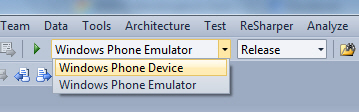
Sometimes you get so used to do something everyday that you don't appreciate how much time it saves you. So in this entry I want to go back to the basics and comment on something I had been asked many times. I remember the times where we used Active Sync to connect Windows Mobile devices, is was not that hard but it could get tricky some times, depending if the device was connected via USB or Wi-Fi, emulators via  DMA and more. And to be honest, it was not that long ago. Fortunately the new Microsoft Windows Phone 7 series does this in a pretty easy way. Zune Besides being used to download apps, musics, podcasts or to sync content between the computer and the device. The Zune software is what we can easily use to "hook up" your device with your Visual Studio and deploy apps to your phone. If you are a registered developer at Microsoft Marketplace just connect your unlocked/activated phone. Run Zune if not setup to auto-start. Then on the Visual Stud...

Nice panning and zooming in Windows Phone 7

A bit of time ago I published an app called Hidden Pics on the Microsoft Marketplace, on that entry I covered some basics on the Isolated Storage and the PhotoChooserTask for Windows Phone 7. On this entry I want to cover the zooming and panning. As part of that app, the user has the option to open a photo full size on the device screen and then pinch to zoom the photo.  They can also pan by dragging on the screen with the fingers. Now this is supposed to be very basic, but there is a catch, which is making the zoom stable. By stable I mean that if you use two fingers to zoom in the photo, once you finish the two fingers should have the same pixels behind them, which indicates that you zoomed proportionally and panned correctly. After googling around a bit I put together the code to do both zooming and panning properly. So here is the XAML for the control, I am using an Image control inside a Canvas with a CompositeTransform : The photo will start fully fitted on the Ima...

Hidden Pics: My first App on Windows Phone marketplace

Image
Just days ago I finished and published my first app to Microsoft Windows Phone Marketplace. As part of the "#30tolaunch" program, I must admit that waiting for  the app to be certified was a little scaring, but the app was approved without any trouble and is already up, you can grab it here . Now the idea of the app is simple, it uses the Isolated Storage to hide pictures you want to keep out of curious people looking at your phone. And it involves two common elements that might be useful for you in future apps. 1) Isolated Storage 2) Photo Chooser Task Isolated Storage. The Isolated Storage is a virtualized file system so your app can't really access the device storage like it used to be. If you are a Windows Mobile developer, you might remember those times where you could write/read files all across the filesystem of a windows device. Thankfully that's not like that anymore. And you get a isolated space just for you application. Reading bytes from a file ...