Posts

Showing posts with the label csharp

The Power of Simplicity: How a random iterator saved the day

Image
 …and my database. How many times has something so simple saved the day? Sometimes, the simplest solutions can have a significant impact on a problematic situation. In this blog post, we'll explore one such scenario where a small algorithm change led to substantial performance improvements in an existing system. The problem  The issue at hand involved a component in a system using a database table as a makeshift queue for processing updated rows. Multiple processor instances read from the same table, with Redis locking in place to prevent concurrent processing of the same row. However, the processors working in the same order led to numerous collisions and timeouts, causing the system to slow down.  As illustrated in the image, the processors were interfering with one another; while they ultimately completed the work, excessive time was consumed in fruitless attempts to lock records, which consequently increased the strain on the database. The solution: A Random Iterator ...

NET Core, Java and Open Source

We need to talk about it How open is .NET Core and C#? How does it compare to a platform like Java? Well... let's see. Disclaimer: The post is a resumed version with lots of links, so be prepared to read it in a DFS or BFS way :)  .NET Core In November 2014, The Microsoft team announced that " NET Core is Open Source " Included C# and Visual Basic compilers Visual F#   ASP.NET Core Entity Framework Core NET Core Framework   In 2015, Microsoft releases Visual Studio Code , a cross-platform multi-language IDE.  All these released under an Open Source license. The MIT License . NET Core runs in Windows, Linux, Mac and ARM-based systems (IoT) Docker support existing Java Originally made open source by Sun in 2006 Released under GPLv2 CE license . The CE clause allows it to be used in a more restrictive scenario.  Oracle has a different licensing schema for "Enterprise Java". While the OpenJDK is still safe (and should remain so) Ente...

Playing with strings and performance in C#

Image
A few weeks ago, I was solving a problem at HackerRank and after completing a solution that ran  under 100 milliseconds, the program would still timeout during execution. HackerRank limit is usually 1 second, so something was taking more than 900ms. It was the strings! Yes, we know handling strings is costly, but this time there was no way around it.  At the final stage of the problem I had to construct a string over 200k chars long from an array of Boolean values that represented the bits of the number.   Disclaimer : Strings are slow, mainly because they are immutable. Concatenating two strings, creates a third one and possibly 2 for the garbage collector to pickup. Looking through the code I noticed I was simply using " += " instead of StringBuilder.Append method. After using StringBuilder the solution was faster and the submission was approved. It was  fast now, but it got me thinking "how much faster indeed?" which ended with me measuring t...

The uncatchable exceptions in WCF clients

Did you ever have a problem with a WCF client throwing exceptions you can't catch? If you have used WCF clients from Windows Phone, Silverlight or Xamarin.iOS, you might have noticed that it is not possible to create Synchronous or Task-Based operations; the functionality is reduced to the Event-based Asynchronous Pattern (EAP). That means that the way to call a WCF method and get the response is usually as follows: var client = new MyWCFClient(); client.DownloadDataCompleted += (sender, e) => { try { //accessing e.Result here might raise an exception in another //thread, that will not be captured by the 'catch' below. } catch(Exception ex) { } }; client.DownloadDataAsync(url); Our results are wrapped in an auto-generated class that inherits from  AsyncCompletedEventArgs , this class has a property  Error  of type  Exception , that will carry information about the error and a property  Result  with our expected return valu...

My favorite (critical) developer tools

Image
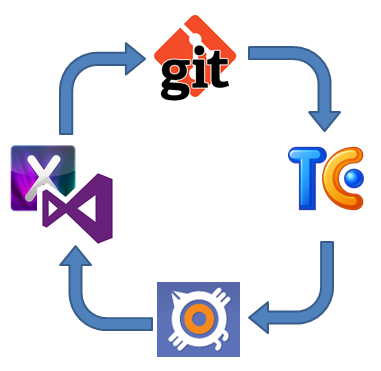
In addition to pizza, caffeine, and video games, a developer requires a lot of tools, and I mean "a lot". Each one is different so here I want to showcase what I use, and briefly explain why. The idea of this post rather than make any type of advertising (notice there are no links at all) is more to actually find out what other people use and share with you all my experience. So, the profile:  .NET Developer. The usual work: Web applications with ASP.NET (Web Forms and MVC) Windows Forms Windows Presentation Foundation Windows Phone Apps iOS Apps  Of course, I might code almost every day a bit of JavaScript and some HTML/CSS fixes, along with some other things, but that's not enough to consider it the main course. The Infrastructure Before coding, organization and planning is everything, and that means for me 3 things, since I am a SCRUManiac: Source Control Issue/Bug tracking Continuous Integration For source control, I prefer Git particularly, ...

Virtual Keyboard in iOS - part 2

Image
One the first entry of this series I covered the issues with the keyboard in iOS not hiding automatically when needed. In this second - and final - entry on the subject I am going to go for the most of annoying issue when creating UIs in iOS. The keyboard overlaps a focused TextField  If you have a TextField below the keyboard top edge position, they will be hidden once the keyboard shows up. The keyboard size is 320x216 points* in in portrait mode, so anything below the 264 (iPhone 4/4s) or 352 (iPhone 5/5s) points won’t be visible.  It is so simple that is almost unbelievable, but it happens as you can see in the images. Since this default behavior is inconvenient we are going for the workaround. The solution is not pretty but it is trivial: we need to place the UI elements inside a UIScrollView  and will use notifications to monitor when the keyboard will Show/Hide and will scroll the content of the container to ensure that views inside are always vis...

Virtual Keyboard in iOS - part 1

Image
When you are a developer for more than one platform, you might find that what is considered basic or pre-built in one, it’s incomplete or completely missing in another one. This entry is about fixing some issues with the virtual keyboard on iOS; especially when it hides your text fields or keeps the input focus. Xamarin Studio/Mono and XCode were used for this example. Hiding the keyboard Tapping inside the TextField will show the keyboard, but it won't be possible to get rid of it by tapping outside or pressing “RETURN” on it. This is something pre-built in Silverlight for Windows Phone. Tapping outside of the textbox or hitting the “back” key will hide the keyboard. But well, there is no back key on the iPhone. So let’s start by creating and extension method that we will use in the rest of the solution. The method will return the view that is the first responder or the “active” one. public static class Extensions { public static UIView FirstRespon...

Where is Silverlight now?

Time ago I wrote an article  about the comparison between of HTML5 and Silverlight. That article was indeed about the "comparison" itself rather than another attempt to compare the two; mainly because I consider that kind of measuring to be pointless. Then again with the pass of time the same question arises: is Silverlight dead? Before going into trying to answer that, allow me to be clearer than what I was at the time and let me rephrase the question: is the silverlight plugin for browsers dead? Well... the answer is yes, not even a "maybe". But as with any existing software, dead is not actually extinct. We still have people writing code in COBOL, FORTRAN,  DELPHI and VB6. And this is because the enterprise market does not move at the same pace as the consumer market. They invest in infrastructure, they keep it, and they treasure it. And Silverlight was highly adopted in the enterprise for LOB applications. So in that area, Silverlight is going to be there ...

The invisible property of UIViewController

Popular wisdom says "things happen for a reason". However experience has proved me that when it comes to programmers, that is not always true. Things can just happen for no reason at all. That's why we require feedback, here is one and I assure you is in good spirit. So let's me write about something I found when building an app for iOS using Xamarin/Mono. The invisible property. Ranging from windows forms (desktop or Windows Mobile) to WPF, Silverlight/XAML on the web or windows phone. ASP.NET Web Forms or Razor, MVC or classic. One thing I can say for sure: any visual element  has a way to check for its visual status. Call it "Visible" in windows forms, "Visibility" in Silverlight/WPF. There is always an intuitive, simple and trivial way to know if something - that might be visible - it is visible at a particular moment or not. You can't imagine my surprise when I realized that the UIViewController in iOS does not provide such mecha...

Events and Multithreading

This is  the second and final part of this series. Will focus now a bit on what happen when we add multithreading to our work with events. Cleaning Up Events and Context Information In the previous post I mentioned some issues using lambdas and anonymous methods on events. The unsubscribe problem had a tricky "solution" by declaring a "cleanup" method inside the class that holds the event. public void CleanupSubscribers() { SayHelloCompleted = null; } The problem here is obvious since the cleanup method will remove all subscribers from the event. Hence, individually removing listeners from the event gets tricky when using lambdas/anonymous methods. So in this case the recommendations would be: Do not use lambdas if you need to unsubscribe. If you do so, use the cleanup method UNLESS your code is multithreaded.  NOTE: this only applies to the use of lambda expressions and anonymous methods, as for regular named methods yo...

The lambdas, the anonymous and the events

Combining lambdas, anonymous methods and events feels natural in C#, and we use them almost as a reflex, they help us to create closures and avoid creating state variables outside the scope of our methods or passing extra state data through event calls. But one thing that come with events is the fact that writing good applications implies making good use of the resources, meaning we have to dispose those we no longer need. When using events with lambdas and anonymous methods, is possible to forget about that, thus writing code that is not efficient and prone to crashes. Will start this 2-part series talking about the subscribe/unsubscribe behavior. Subscribe/Unsubscribe lambdas and anonymous methods Let's begin with a basic scenario using events in a single-thread context for now; just to keep it simple. The code fragment below contains the HelloEventArgs implementation as well as the publisher class MyClassWithEvents . public class HelloEventArgs:EventArgs { ...